Setting up the Amazfit Band 7
Setting up the Amazfit Band 7
Setting up the Amazfit Band 7 is mostly straightforward, albeit a bit tedious. Most of the setup process is done on your phone in the Zepp app (Amazfit is powered by Zepp Health’s health management platform). The initial pairing process with my Samsung Galaxy S22 was very easy, with a simple scan of a QR code on the watch using the app.
From there, however, things get a little bit complicated and a lot annoying. You have to grant a lot of permissions, more than any other watch platform I’ve used before. It seemed to go on forever. I also had a really hard time finding some of the menus for permissions that the Zepp app specified. It mentioned menus that simply do not exist on my phone, even though it says it’s specific to the phone manufacturer. Then, if you want to get notifications on your watch, you have to go through each individual app that you want notifications from. Which, again, was a bit tedious.
The Amazfit Band 7’s features
As a budget device, you’d expect the Band 7 to be extremely limited in functionality and abilities. And while it certainly doesn’t have as robust a feature set as a $500 watch, the watch is surprisingly feature-rich for $50. It won’t be a replacement for serious athletes that need highly accurate information and robust tools, but it’s more than capable for most people.
Battery life
The battery life on the Band 7 is quite surprising, given the low price of the watch. The watch offers a 232 mAh rated capacity, and Amazfit promises up to 18 days of battery life with typical usage. It says heavy usage will result in up to 12 days of battery life. Of course, all this depends on your watch settings as well, as the always-on display and certain settings like stress measuring will eat away at battery life.
In my testing, I got an average of 16 days of battery life. I typically do one dedicated workout (either a run or strength training session) a day with anywhere between 30 minutes to an hour of duration. And I generally track a few short walks per day on top of that because of my dog. I did not have the always-on display running because I wanted to save the battery more, which greatly affected how much battery life I could get.
When the battery did run out, I was able to charge the watch quickly. Amazfit claims that the theoretical charging duration is two hours, and I found that to be accurate. If I needed a quick top-off before a workout, 15 minutes of charging would give me enough juice to record an hour-long session. The charger uses a magnetic design. In line with the watch’s design, it’s a tiny charger, making it easier to bring along on trips than other watches I’ve used.
Activity tracking
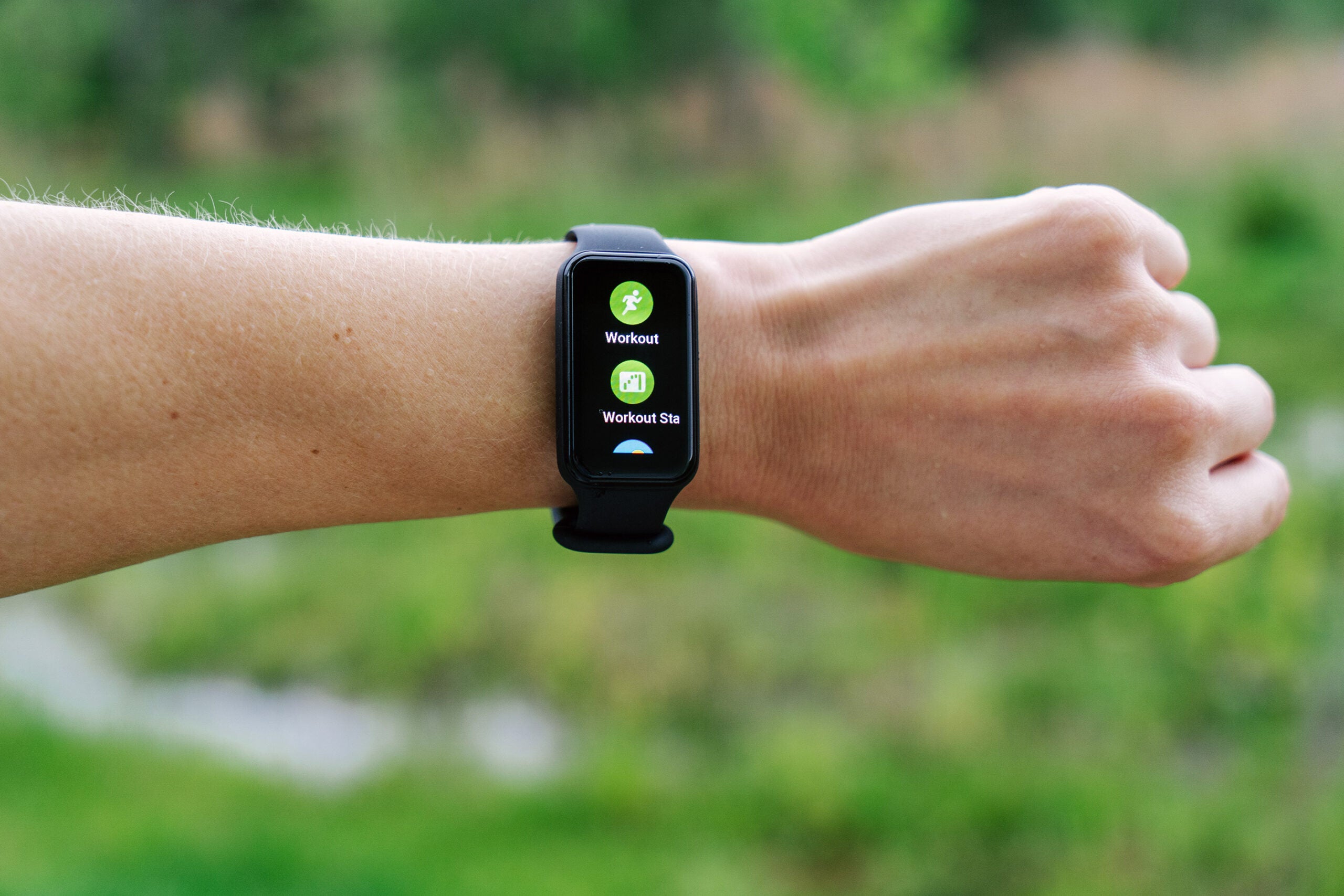
The Amazfit Band 7 can track 120 different types of activities. That includes the basics like outdoor and indoor running, hiking, and cycling. But it also can track badminton, belly and square dancing, jumping rope, jiu-jitsu, and even kite-flying or swinging. Essentially, if there’s an activity you want to do, chances are there’s a unique profile for it on the Amazfit Band 7.
Tracking is easy, though, by default, the workout widget (where all the activities are) is quite low in the list, so you’ll need to scroll a bit. I thought that was an odd default placement since that’s one of the main reasons to get a watch like this. But you can customize that placement in the Zepp app. Then, you simply tap on Workout and choose the type of workout you want.
Before you start tracking, you can also adjust settings by tapping the ellipses above the “Go” button. For example, for outdoor running, you can set a workout goal (miles, time, or calories). You can set workout alerts for different metrics like high heart rate or minimum pace. And you can even set the watch up for interval training, which is a nice feature.
Data collection and insights
The Band 7 is fairly limited in sensors, but it offers the most important ones for basic insights: a PPG biometric sensor, a geomagnetic sensor, and a three-axis acceleration sensor. It uses these three sensors to collect and calculate heart rate, SpO2, VO2 Max, and stress levels.
The watch can also track your sleep, breaking it down to give you insights into how long you slept, REM sleep, and how often you were awake during the night. While it doesn’t apply this information to your training, and it isn’t highly accurate, it can at least give you a rough idea of your sleep.
Your training information and data provide a few key insights: PAI and Training Status. PAI, or Personal Activity Intelligence, uses a simple 100-point scale to reflect how active you are, with the goal of keeping it at or above 100 to reduce your risk of disease. It is based on an algorithm that assesses your age, gender, resting heart rate, maximum heart rate, and accumulated heart rate over seven days. Because an algorithm powers it, it’s dynamic and based on you as an individual instead of using generalizations.
While Training Status and PAI are enough for most users, The Band 7 and Zepp app won’t provide the in-depth data and insights serious athletes want or need. For example, Garmin (what I’m most familiar with) provides training stats such as the training effect of each individual workout, power curves, race predictions, training readiness, and heart rate variability (HRV) information. Most of that isn’t relevant to those simply trying to stay active and healthy, but if you want focused training for performance reasons, the Amazfit Band 7 and companion app likely won’t cut it.
Smartwatch features
On top of all the fitness tracking, the Band 7 provides some smartwatch functionality. It doesn’t provide cellular connectivity, and there is no microphone, which limits its capabilities, though that’s to be expected at this price point. But you can get notifications on the watch from your smartphone from just about any app you use. You can’t interact with those notifications in any way, but you can at least see them to know if it’s something important enough to pick up your phone.
Beyond notifications, the watch also provides access to weather information. And if you are playing music on your phone, you can control it from the watch. I really liked that feature while in the gym working out. If a song started in my UE Fits earbuds that I didn’t want, I could just hit next right on my wrist instead of needing to pick up my phone and sweatily navigate to Spotify.
Zepp app
The Zepp app is clean and clutter-free, with three primary tabs containing settings and data that you may need. The Homepage of the app features data cards to give you snapshots of what you most want to keep track of. For example, it can show steps, sleep, workout history, exercise status, and more. You can customize this, both in terms of which cards are shown and their order, which is nice.
The Health tab is also customizable, though with far fewer options. It primarily shows you a breakdown of your workouts and your target goals (which you can edit). Since all of this can be found on the Homepage, it’s a bit confusing that a separate tab is needed.
The third tab is your Profile, which gives you access to settings, goals, connected accounts, and more. It’s also where you access your devices to change device-specific settings.
The app runs very smoothly on my Samsung Galaxy, and it’s quick to sync the watch when I make changes via the app as well. It doesn’t provide as in-depth insights as the Garmin app and doesn’t offer the social component Garmin does, but Zepp works well and provides basic and necessary information.
The Amazfit Band 7’s usability and accuracy
Overall, the Amazfit Band 7 is straightforward to use. It has its quirks—such as a lack of buttons for input—that make getting used to it a little tricky at first. But most of the controls are intuitive and easy to figure out. The sensitive touchscreen can be a bit annoying but is small in the grand scheme of things.
One aspect that I really love about the Amazfit Band 7 is that it provides help text on the watch itself for certain data sets and features. For example, under Workout Status, if you tap the “i” at the bottom of the screen, a rather thorough explanation of EPOC pops up. Since the budget-friendly watch is largely geared toward those who aren’t exercise experts, these terms may be completely new. Explaining what they mean and why they are important right on the watch is extremely helpful and valuable.
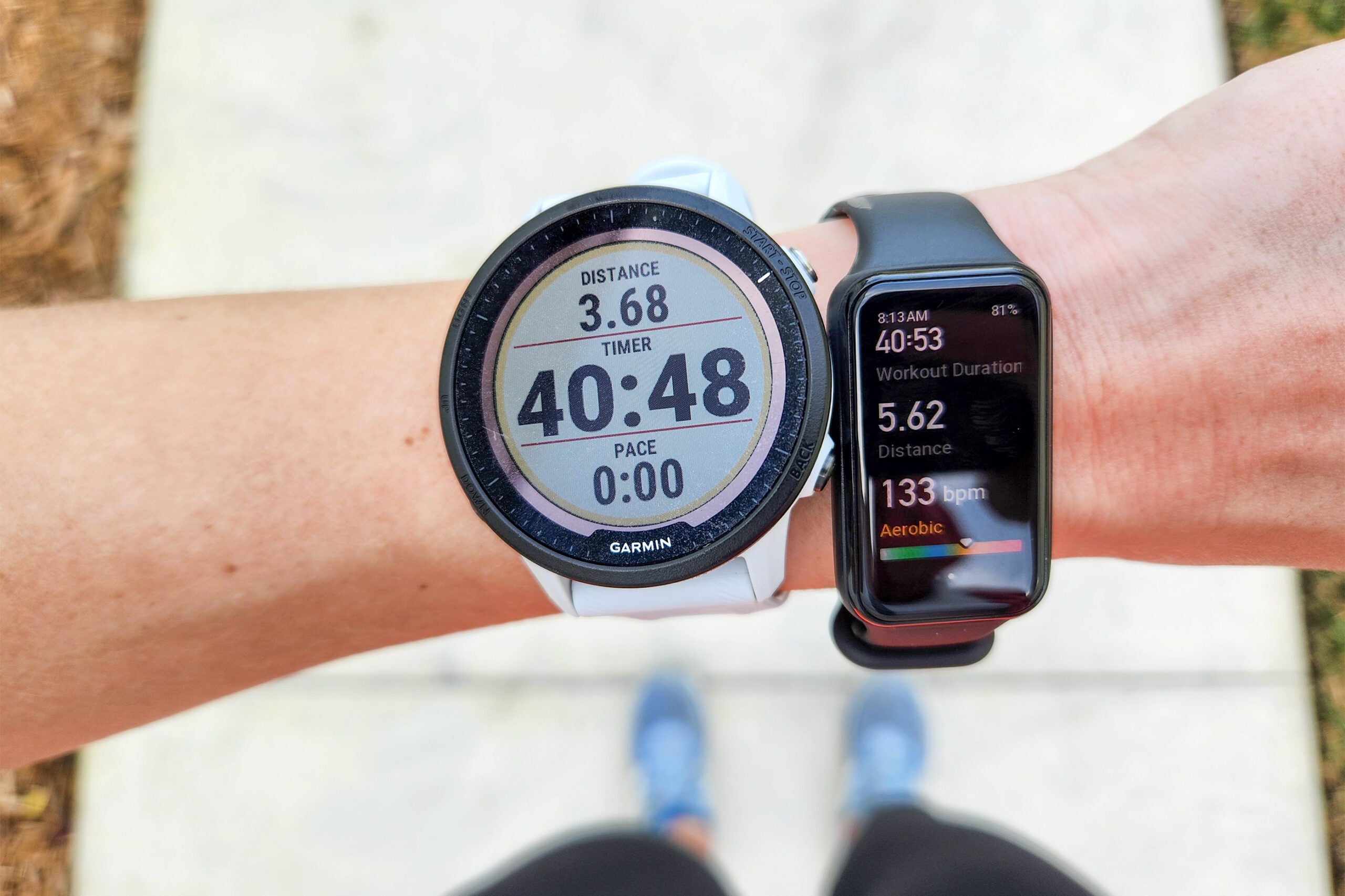
I found the watch’s heart rate monitor to be very accurate, even compared to a dedicated heart rate monitor, which is typically more precise. Likewise, the calculated VO2 Max was in the range it should be for me, though I plan on getting a lab test done for a truly accurate comparison.
I rarely find sleep tracking very accurate, and that was the case with the Amazfit Band 7. There were nights it seemed spot on, but most of the time, it seemed at least slightly off, and nights it was completely incorrect as well. It also tends to think I’m taking a nap if I take the watch off for more than a few minutes.
https://www.popsci.com/
Comments
Post a Comment